
If your content calendar keeps failing after two weeks, the problem is rarely a lack of discipline. The first week is powered by fresh ideas. The second week brings customer work, sales calls, approvals, and the harder part: turning a topic into something worth publishing.
A useful calendar is not a packed spreadsheet. It is a small operating system for deciding what to say, making it, and recovering when a week changes. For founders, that system needs to work when time is limited—not only when the business is quiet.
Why content calendars collapse in week two
Week one usually contains planning. Week two contains production. That is when hidden gaps show up: no clear topic priority, vague briefs, too many channels, slow approvals, and no fallback when a draft stalls.
The issue is often that dates were planned before decisions were made. A date alone does not tell you who a post is for, what problem it solves, what proof you can use, or how much effort it requires. When those choices arrive at writing time, every slot becomes a new decision.
A review of common calendar failures from Luminary also points to familiar operational problems: an overly ambitious plan, unclear objectives, and a calendar that gets parked rather than used. The practical lesson is simple: make the plan small enough to run, and visible enough to guide daily work.
The seven root causes
- Topics do not connect to the business. A post about a trend, then a feature, then company culture may fill dates, but it does not build a clear point of view.
- There is no filter for ideas. Founders collect useful observations from calls, product work, and customer questions. Without a way to choose, the backlog becomes overwhelming.
- The plan assumes ideal capacity. A five-post week may look possible during planning and become impossible when one client issue appears.
- Titles are too vague to draft. “Thoughts on marketing” creates friction. “A five-minute homepage check for service founders” gives the writer a job to do.
- The calendar tracks publish dates but not work stages. Ideas, outlines, drafts, reviews, and scheduled pieces need different attention.
- No one owns the final decision. This can happen in a two-person team as easily as in a larger one. A draft waits because nobody knows who can approve it.
- There is no recovery plan. One missed post becomes a reason to abandon the entire month instead of a cue to reduce scope.
Run a 10-minute calendar audit
Before adding more ideas or changing tools, inspect the calendar you have. This short audit helps you find the real bottleneck.
1. Put every fragment in one place
Collect half-written drafts, notes from sales calls, voice memos, customer questions, and saved links. Use one inbox or backlog. Keep each item short:
- “Answer the pricing question we hear on calls”
- “What changed in our onboarding process”
- “Three mistakes buyers make before choosing a provider”
Do not improve the ideas yet. The goal is to make the work visible.
2. Merge duplicates and group themes
Several fragments may answer the same question. Combine them into one stronger piece rather than scheduling three similar posts.
Then group the remaining ideas into three to five themes. For example:
- Customer problems and practical fixes
- Product or service use cases
- Founder perspective and behind-the-scenes lessons
- Proof, process, and FAQs
Themes make the calendar easier to scan. They also stop a single trend or random idea from taking over your publishing plan.
3. Score each idea before it earns a slot
Give each idea a score from 0 to 2 in four areas. A total below 6 needs a sharper angle, a smaller scope, or a place in the backlog.
| Check | Question to ask |
|---|---|
| Audience fit | Can you name the reader and the problem they have? |
| Business relevance | Does this support your offer, sales conversations, or positioning? |
| Evidence | Can you explain it with a real process, example, or honest point of view? |
| Effort | Can your team finish it during a busy week? |
If audience fit is weak, revisit the customer problems behind the topic. This guide to understanding your audience for content marketing can help you turn broad assumptions into clearer reader needs.
4. Turn survivors into named pieces
A calendar item should be more than a subject. Give it a reader, promise, and format.
Instead of “homepage tips,” write: “The five-minute homepage check for service founders whose site is not producing enquiries.” Instead of “AI workflow,” write: “Where AI can speed up a content brief—and where founder review still matters.”
A named piece is easier to outline, assign, review, and publish.
Build a minimum viable content calendar
The best calendar is the smallest one you can maintain for several weeks. Start with consistency, then add volume. A minimum viable calendar gives you enough repetition to build trust without turning content into a second full-time job.
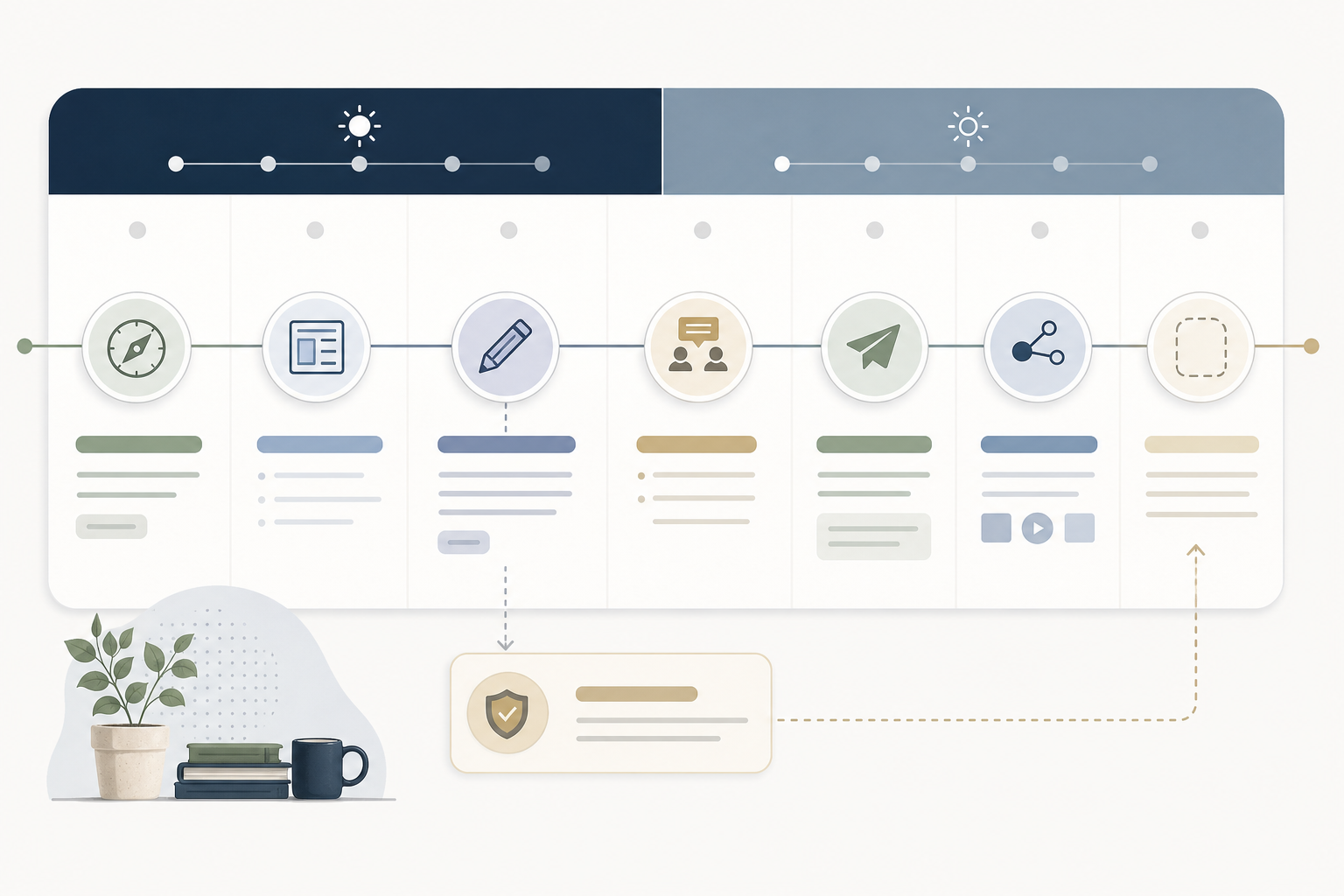
Start with direction, not dates
Choose one or two themes that support what you want the business to be known for. Each theme should connect to a customer problem and your offer.
For example, a founder-led service business might choose:
- Helping buyers understand a costly problem
- Showing the process that produces a better result
If the themes are still fuzzy, define the strategy before filling the schedule. How to develop a content strategy offers a useful foundation for connecting business goals, audience needs, and content choices.
Plan a series, not a pile of one-off posts
A recurring series reduces the weekly question of “What should we publish?” The format stays familiar while the example changes.
Possible series include:
- One customer question, answered: A short answer to a question heard in calls or support.
- Fix the bottleneck: One common workflow problem and one practical fix.
- Behind the decision: A founder explains why the business changed a process, priority, or approach.
For each series, decide the usual length, format, and call to action. The aim is not to make every post identical. It is to remove unnecessary choices.
Set a cadence you can actually hit
Start with one substantial piece per week or every two weeks, plus one smaller reuse of that piece if capacity allows. A useful week may be one practical article and one short post that shares its key lesson.
Use this basic two-week view:
| Time | Main decision | Output |
|---|---|---|
| Week 1 | Choose one topic and outline it | Outline plus one backup idea |
| Week 2 | Draft, review, and publish | One finished piece plus a repurpose |
Keep five to ten ideas in the backlog, but do not schedule all of them. The backlog is a choice bank, not a commitment.
Add an elastic buffer
Keep two or three low-effort, high-confidence pieces ready for difficult weeks. Good buffer formats include a focused FAQ, a short checklist, a clear founder lesson, or a response to a common customer objection.
A buffer is not filler. It should still help the right reader and support a business goal. It simply requires less research, coordination, or production time.
For a deeper setup of topics, timing, and workflow, see Creating a Content Calendar: Ultimate Guide. Use any template as a starting point, then remove fields your team will not use.
Make drafts and approvals visible
A calendar fails when it only shows dates. You also need a simple view of where each piece is in the work.
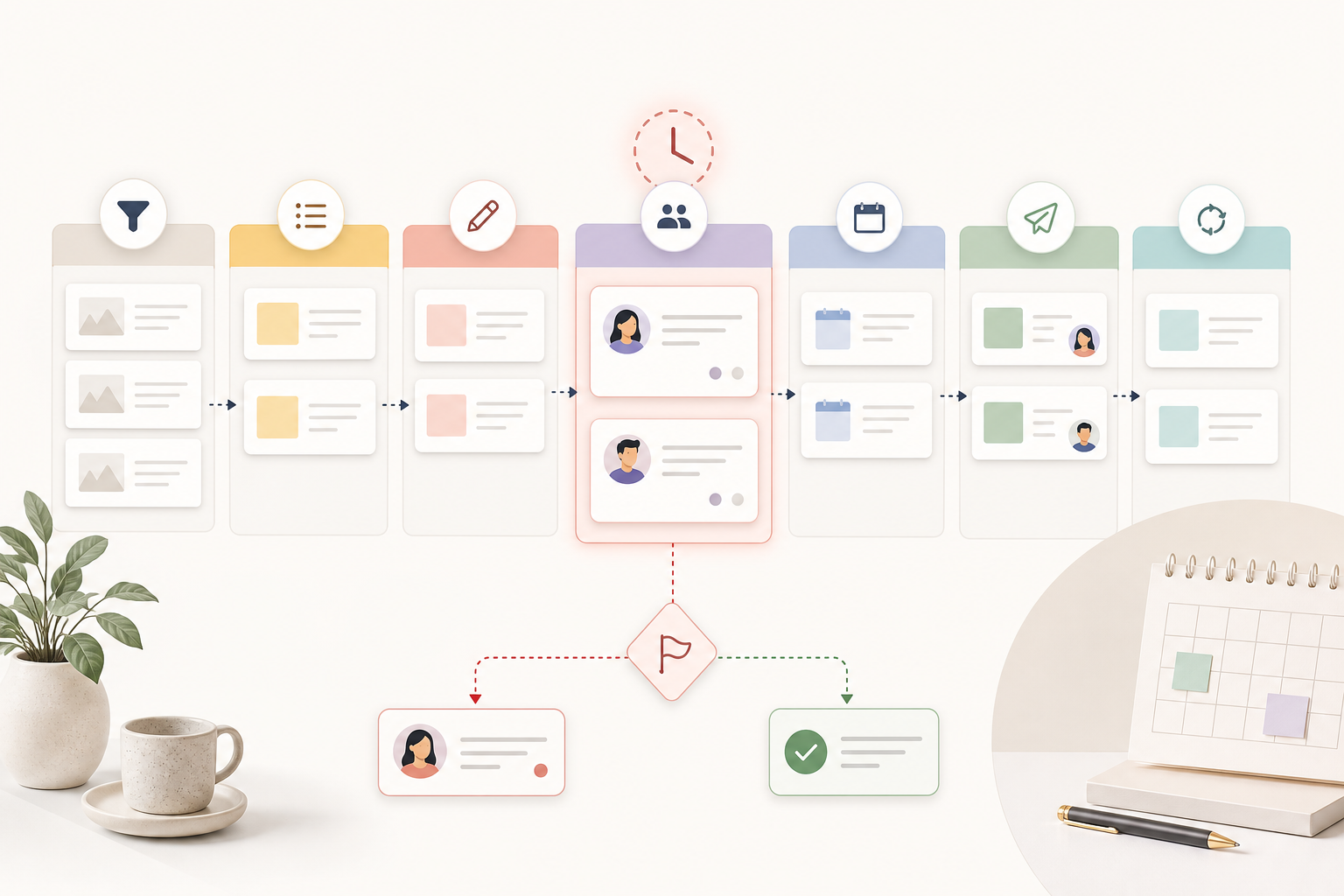
Use a status ladder such as:
Captured → Outlined → Drafted → In review → Scheduled → Published → Repurposed
This helps you spot the actual blockage. If ten pieces are “drafted” and none are “in review,” the issue is approval capacity. If ideas never become outlines, the issue is topic selection or time to plan.
Give every post one owner
One person should own moving each post forward, even if several people contribute. That owner does not need to write every word. They need to know the next action and who makes the final call.
For each item, record:
- The reader and problem
- The promise or takeaway
- The format and channel
- The owner
- The reviewer, if one is needed
- The call to action
For a founder working with a freelancer or small team, this may be enough. Avoid adding roles and meetings that do not improve the work.
Use a rule for stuck drafts
Do not let unfinished work quietly pile up. If a draft has not moved for two working days, choose one action:
- Cut it to one useful point
- Replace it with a buffer post
- Ask for a specific missing input
- Move it back to the backlog with a clear note about what is needed
This keeps a half-written draft from holding the whole calendar hostage.
Keep AI in the right role
AI can help with idea capture, outlines, variants, and first drafts. It cannot decide what your company should be known for or confirm that a generic claim reflects your experience. Review every draft for accuracy, voice, useful detail, and a real point of view.
If you are using AI in the production flow, these mistakes to avoid when using AI for content writing are a useful reminder to keep human judgement in the process.
Use a busy-week protocol instead of abandoning the plan
Busy weeks are normal. Treat them as a planned operating mode, not a failure.
When capacity drops, do three things:
- Pause new experiments. Do not add a new channel, campaign, or complex format during a strained week.
- Publish one minimum viable piece. Choose a buffer post, a concise FAQ, or one lesson from current customer work.
- Choose next week’s topic before the week ends. A small decision now prevents Monday-morning paralysis.
Your minimum viable week might look like this:
- Publish one piece from a recurring series or a buffer
- Turn that piece into one shorter post, email note, or talking point
- Select the next topic and assign its owner
That is enough to preserve the rhythm. You can return to larger work when time opens up.
If the repetitive planning work is taking too much time, automating a blog content calendar with AI may help you explore where a tool can support the workflow. Automate coordination and first-pass work where it makes sense; keep strategy, approval, and factual checks with people.
Is this a content problem or a calendar-tool glitch?
People use “calendar is broken” to describe two different problems. One is strategic: the content system does not create publishable work. The other is technical: events disappear, appear at the wrong time, or do not sync between devices.
Solve the technical issue first if you cannot trust the schedule itself. But do not expect a sync fix to resolve unclear topics or stalled drafts.
How do I fix my calendar glitch?
Start with the basics:
- Confirm you are signed into the intended account.
- Check that you are viewing and editing the correct calendar, not a read-only or duplicate version.
- Refresh the app or browser and install available updates.
- Confirm your device time zone and daylight-saving settings.
- Check whether sync is enabled for the calendar on each device.
If the issue persists, use your calendar provider’s support documentation or support channel. It can identify account-specific permissions and sync settings that a general checklist cannot see.
Why do I keep losing calendar events?
Events may be hidden rather than deleted. Check whether the calendar is unchecked in the sidebar, whether a filter is active, whether the event was created in another account, and whether a duplicate calendar is causing confusion.
If you share a calendar, also check your permission level. View-only access may make an event appear available without allowing changes to save.
Why is Google Calendar showing the wrong time or not syncing?
First confirm the account, calendar visibility, sync setting, and time zone on every device. Then try reopening the app or browser after updates are installed. If another calendar service is involved, check that connection separately; integrations can fail even when each calendar works on its own.
A weekly checklist that keeps the calendar alive
Before scheduling a piece, ask:
- Is the reader clear?
- Does the topic connect to a real business priority?
- Can we support the claim with an example, process, or evidence?
- Is the scope realistic for this week?
- Is there one owner and a clear next step?
- If this week changes, what buffer piece could replace it?
If your content calendar keeps failing after two weeks, reduce the plan before you replace the tool. Build around a few strong themes, a visible draft workflow, and a busy-week fallback. That gives you a publishing rhythm that can survive the reality of running a business.
Content Redefined AI is designed to help founders introduce their business clearly, direct their content, and maintain a consistent publishing schedule. When you are ready for a more structured planning method, consider a monthly subscription that supports that rhythm.