
Implementation Steps for a Consistent Publishing Schedule
These implementation steps for a consistent publishing schedule help founders build a publishing rhythm they can keep when client work, sales, and product work get busy. You will set a realistic cadence, create a simple workflow, reuse proven formats, and use a reset plan when a week goes off track.
The goal is not to publish as often as possible. It is to publish useful work on a schedule you can sustain for at least 90 days.
Consistency is not the same as frequency
Frequency is how often you publish. Consistency is whether you can keep publishing at the pace you chose.
A founder who publishes two useful articles each month for a quarter is more consistent than one who publishes daily for ten days and then stops for six weeks. More output is not always a better plan.
Use this working definition:
> A consistent publishing schedule is a repeatable 90-day cadence that can survive normal business disruption without heroic effort.
Your cadence might be one article every other week, one weekly newsletter, or one detailed monthly guide with smaller posts drawn from it. Choose based on your time, review capacity, and the insight you can add.
Start with the smallest cadence that can support your business goals. Increase output only when the process has enough capacity—not because one good week made the plan seem easy.
Why founders struggle with consistent publishing
Founders do not usually stop publishing because they cannot write. They stop because content competes with urgent work: serving customers, selling, hiring, building the product, and solving problems.
Content also asks for several kinds of work. A useful idea must become a brief, a draft, an edited page, a visual if needed, and a published post. When those steps are unclear, content becomes something you do only in a quiet week.
Unclear positioning makes the problem worse. If you cannot state who you help, what problem you solve, and how your approach differs, every topic becomes a new strategy debate.
Perfectionism can create a hidden backlog too. Without a shared standard for “ready to publish,” drafts stay open for weeks. You keep refining sentences while the useful core never reaches readers.
A system solves more than motivation does. It gives you an idea queue, clear stages, reusable formats, and a fallback for busy weeks. For more on the underlying problem, read Why Founders Struggle With Consistent Publishing (and The Lightweight System That Fixes It).
What a steady schedule can and cannot do
A steady schedule reduces the repeated question of what to create next. It helps you build a library of useful answers that can support sales calls, newsletters, social posts, and future articles.
It can also help readers see what you talk about and what you stand for. But publishing on schedule does not guarantee traffic, leads, rankings, or engagement. Those results also depend on audience fit, distribution, content quality, topic relevance, and the offer behind the content.
Treat your schedule as a way to make useful work repeatable, not as a promise of a marketing result.
Before the seven steps: choose your minimum viable cadence
Your minimum viable cadence is the smallest useful rhythm you can keep during a normal busy period.
| Available content time | Review capacity | Sensible starting cadence |
|---|---|---|
| 1–2 hours a week | Founder only | One detailed post twice a month, with simple repurposing if useful |
| 2–4 hours a week | Light editor or reviewer support | One post each week, or two posts twice a month |
| 4+ hours a week | Reliable drafting and review support | One weekly core post plus one repurposed format |
These are planning examples, not universal targets. Match the plan to the depth of your work and your review process.
Two rules matter:
- Do not plan more drafts than you can review and publish.
- Keep the cadence for eight to twelve weeks before deciding whether to increase it.
If time is your main constraint, see How To Keep Consistent Content With Limited Time: Founder System.
The 7 implementation steps for a consistent publishing schedule
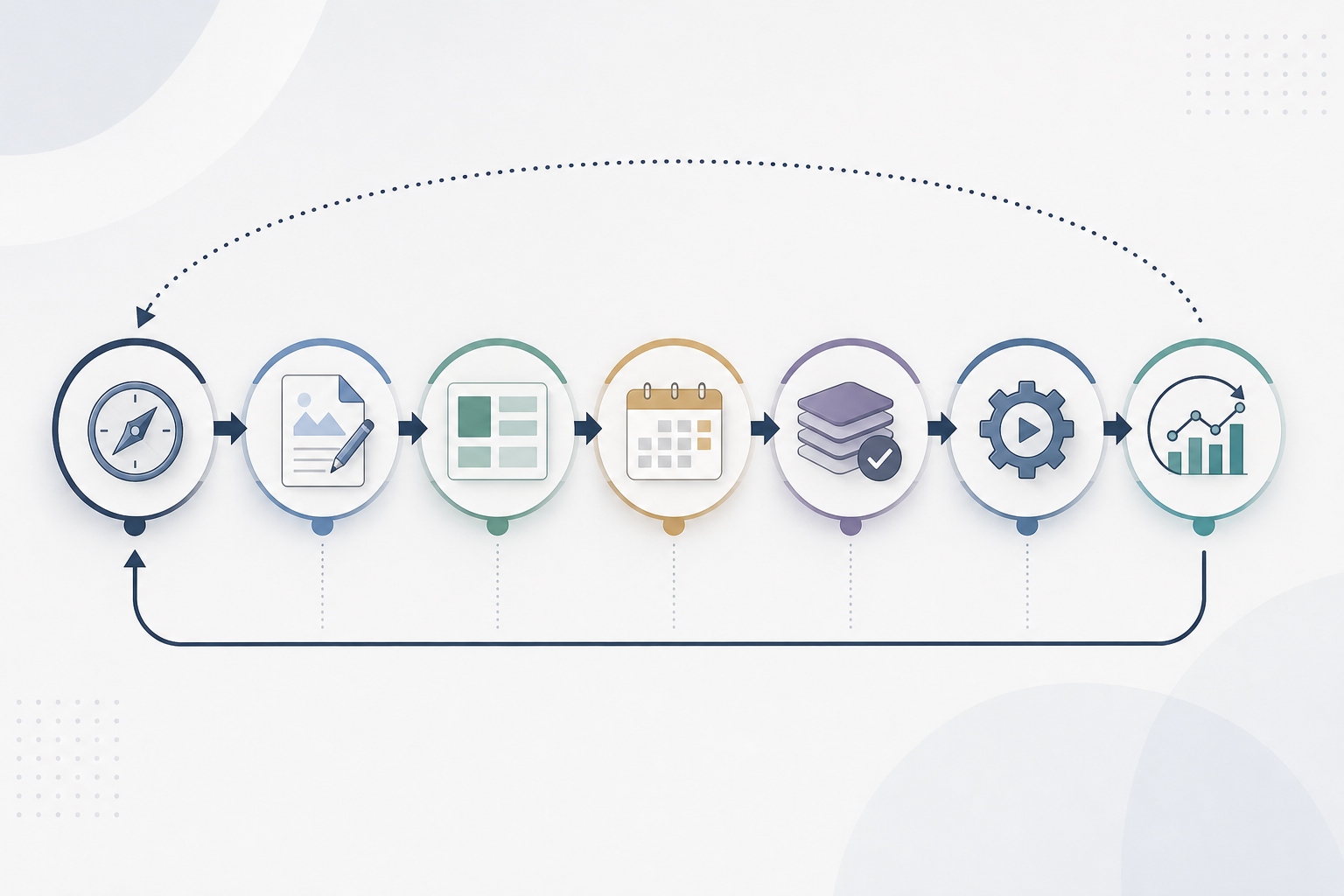
Use the steps in this order. First decide what you want to be known for. Then make the work repeatable. Only then should you fill a calendar, batch work, automate tasks, and use results to improve the next cycle.
- Lock your content direction.
- Build a lightweight editorial process.
- Create reusable post templates.
- Build a rolling editorial calendar.
- Batch creation by task.
- Automate repeat work while keeping judgment manual.
- Run an analytics and audience feedback loop.
Step 1: Lock your content direction
Start with three choices: who the content is for, what problem you repeatedly help solve, and which offer or next step the content should support.
Write a one-sentence audience promise. For example:
> We help small B2B service firms turn scattered onboarding into a clear client experience without adding more admin work.
It does not need to be clever. It needs to make topic choices easier. If a proposed post does not help that reader, support that problem, or lead naturally to your work, save it for later rather than forcing it into this month’s plan.
Next, choose three to five content pillars. A pillar is a repeat theme, not a one-off headline. A founder-led service business might use these:
- Problem education: mistakes or issues buyers face.
- Method: how your process works and the trade-offs involved.
- Proof and learning: supported lessons, examples, and observations.
- Objections: timing, budget, internal support, or common concerns.
- Founder perspective: principles behind your approach and the limits you keep.
Avoid broad pillars such as “marketing” or “business advice.” They add choices rather than remove them. A useful pillar should produce several specific questions from prospect calls, customer conversations, and your expertise.
Choose one primary channel too. This is where the complete piece lives, such as your blog or newsletter. Choose one secondary channel for repurposing. For example, turn a blog post into a LinkedIn post rather than trying to make separate content for every channel each week.
Step 2: Build a lightweight editorial process
A lightweight editorial process is not bureaucracy. It is a clear path from an idea to a published piece.
Use six stages:
Idea → Brief → Draft → Review → Publish → Repurpose
Give each stage a clear entry point.
| Stage | Minimum requirement to move forward |
|---|---|
| Idea | A customer question, observed problem, or useful angle tied to a content pillar |
| Brief | Target reader, promise, working title, CTA, and source or example needs |
| Draft | A complete structure, clear takeaway, and enough detail for review |
| Review | Accuracy, voice, claims, links, and CTA checked |
| Publish | Formatting, metadata, final proofread, and publishing owner confirmed |
| Repurpose | One or two distribution angles selected from the completed piece |
Assign an owner to every stage, even if the owner is you. The labels show where work is stuck. In a small team, the founder may approve positioning and product facts while someone else drafts, edits, or formats.
Reserve founder time for decisions only the founder can make: strategic angle, audience promise, product facts, sensitive claims, and final positioning. Do not spend that time on tasks another person or a template can handle.
Set a Definition of Done
A Definition of Done keeps quality high without making every post endless. Before publishing, confirm that the piece has:
- one clear reader and one useful outcome;
- a structure that answers the main question early;
- a concrete example, scenario, script, or checklist where it helps;
- claims that are supported, qualified, or removed;
- a call to action that fits the reader’s stage; and
- a final proofread and formatting check.
This is how to keep content quality consistent at speed: decide what quality means before deadline pressure appears.
Step 3: Create reusable post templates
Reusable templates reduce decision fatigue. They should not make every post sound the same. Instead, they give you a dependable shape so you can focus on insight, examples, and point of view.
Choose four to six templates and use them for a month before adding more.
Template 1: Problem-to-solution guide
Use this for practical, search-led content.
- Name the problem and who it affects.
- Explain why it happens.
- Give the solution in steps.
- Cover common mistakes or exceptions.
- Offer a useful next step.
Template 2: Contrarian view with boundaries
Use this when common advice is incomplete.
- State the common advice.
- Explain where it breaks down.
- Offer a better alternative.
- Clarify who should and should not use it.
- End with a practical action.
Template 3: Case or lesson breakdown
Use this only when you can share the context honestly and without exposing private information.
- Describe the starting situation and constraint.
- Explain the action or decision.
- Describe what happened without hype.
- Pull out the useful lesson.
- Show how a reader can apply it.
If you do not have verified results to share, use a hypothetical example and label it clearly. Do not present it as a customer outcome.
Template 4: Checklist
Use this when readers need a clear plan.
- State the outcome.
- Group tasks by planning, creation, and publishing.
- Highlight the few steps that matter most.
- Note common pitfalls.
- End with the next action.
Template 5: FAQ explainer
Use this for a real objection or repeat customer question.
- State the question plainly.
- Give a direct answer first.
- Add nuance, examples, or exceptions.
- Explain what the reader should do next.
Pair each template with a one-page house style guide. Include voice principles, preferred formatting, terms to avoid, claim rules, and a few examples of openings and endings. Wordable’s guide to streamlining content publishing also highlights a house style guide, editorial calendar, automation, and Google Docs as parts of a smoother workflow.
Step 4: Build a rolling editorial calendar
Your editorial calendar should answer one question at a glance: what ships next, and what must happen before it ships?
For most founders, a four-week rolling calendar works well. Plan the next month, publish one piece, and add one future slot each week. This gives you enough view to batch work without pretending you can predict every priority six months ahead.
Include these fields:
- content pillar;
- working title or question;
- target reader;
- status;
- draft owner and review owner;
- planned publish date;
- CTA;
- repurposing plan; and
- source, example, or subject input needed.
Keep one flex slot each month for a short FAQ, a timely response, or a repurposed piece. This stops an urgent but useful idea from breaking the whole schedule.
Avoid vague placeholders such as “write thought leadership.” Use a specific entry instead: “Why implementation projects stall after kickoff: a founder checklist for setting decision owners.” A clear title makes the piece easier to brief, draft, and judge.
An editorial calendar is useful because it cuts last-minute decisions. The spreadsheet or tool is less important than the habit.
Step 5: Batch content creation by task
Batch similar tasks rather than trying to write several finished articles in one sitting.
Outlining, drafting, editing, and formatting need different kinds of attention. Switching between them too often can make each piece feel slower and harder.
Try this batch sequence:
- Idea session, 30–45 minutes: collect questions from sales calls, support, onboarding, objections, and your notes. Tag each to a pillar.
- Briefing session, 45 minutes: turn two to four ideas into briefs with a reader, promise, outline, and CTA.
- Outline session, 45–60 minutes: create headings and bullet points for several pieces.
- Drafting session, 60–90 minutes: draft one complete piece or two short pieces. Aim for complete, not polished.
- Editing session, 30–45 minutes: check clarity, support for claims, examples, and voice.
- Publishing session, 20–30 minutes: format, add links, complete checks, and schedule.
A draft can be messy but complete before it is edited. That is not poor quality. It keeps editing from interrupting your thinking.
Batching helps when founder time is unpredictable. Two outlines and one draft created in a free block give you a starting point for a busy week. If you have a steady weekly slot and prefer working close to publication, a drip approach may suit you better. See Publishing Strategy For Founders Batch Vs Drip: Which Keeps You Consistent? for that choice.
Step 6: Automate repeat work, not editorial judgment
Automation helps when it removes repeat actions without removing decisions that protect trust.
Good tasks to automate or standardize include:
- reminders to brief, review, and schedule;
- recurring calendar blocks;
- document and design templates;
- moving approved work to the next stage;
- scheduling approved social posts; and
- bringing performance data into a regular review.
Keep these decisions manual:
- the final angle and headline;
- factual, product, legal, and customer claim checks;
- whether a source supports a statement;
- voice and tone approval;
- the final CTA; and
- responses to sensitive comments or questions.
Automation cannot tell whether a claim is true, whether an example fits, or whether a post represents your business fairly. Use clear inputs, rules, and human approval points.
Keep drafting separate from publishing. A shared document space can hold the brief, draft, comments, and approval. Your content management system can handle final formatting and publication. This reduces version confusion.
For social scheduling, pick a tool based on the channels you use and the approvals you need. Planly’s guide to scheduling social media posts describes goal setting, calendar planning, platform-specific optimization, and scheduling as parts of the process. Scheduling can help with timing, but it cannot replace a thoughtful post.
If you use AI-assisted planning, attach it to an approved brief and human review rather than using it as a source of random topics. How To Automate Your Blog Content Calendar Using AI covers that workflow in more detail.
Step 7: Run an analytics and audience feedback loop
Measurement should improve the next cycle, not create a heavy weekly report.
Once a month, review a small set of signals that match your channel and goal. For a blog, look at relevant visits, CTA or link clicks, and topics that lead to useful sales conversations. For email or social, consider replies, saves, clicks, and repeat questions—not only reach.
Ask these five questions:
- Which topics led to the most relevant engagement?
- Which format was easiest to create without lowering quality?
- Which posts led to replies, questions, or useful conversations?
- Where did work slow down: idea, draft, review, design, or publishing?
- What should you repeat, revise, or stop next month?
Do not make major changes based on one post. Look for patterns across several pieces. A low-performing article may have weak distribution, an unclear title, a narrow topic, or simply need more time.
Feed audience questions back into the calendar. Sales-call questions, support messages, comments, and objections often make better topic inputs than a blank brainstorming session. The Audience Engagement Loop For Consistent Content Ideas can help you turn those signals into a steady idea queue.
How to keep content quality consistent at speed
Speed comes from less ambiguity, not from skipping review. A reliable quality system needs a style guide, a Definition of Done, a review path, and reusable visual assets.
Use a short house style guide
Keep the guide to one page. Include:
- three to five voice principles, such as direct, useful, specific, and free from hype;
- rules for headings, paragraphs, bullets, and CTAs;
- your standard for claims and examples;
- words, phrases, or promises you avoid; and
- guidance for first-person writing and founder stories.
For example: “Do not say a tactic increases revenue, rankings, or conversions unless we can support that claim. Explain the likely mechanism or qualify the statement instead.”
Run a final quality check
Before publishing, ask:
- Does the opening answer the reader’s main question?
- Is the promise specific and realistic?
- Does each section add a new point?
- Are examples real, clearly hypothetical, or properly qualified?
- Are product, tool, and customer claims verified?
- Is the language plain and the structure easy to scan?
- Is there one fitting next step?
If you publish AI-assisted work, keep human review at the center. AI can help with an outline or early draft, but it does not independently confirm facts, product details, source quality, or voice. Best Practices For Publishing AI-Generated Blog Posts is a useful companion for that review stage.
Standardize your visual process
You do not need a complex design system. Build a small asset library with an article cover, quote tile, checklist tile, and simple diagram layout. Set basic rules for typefaces, spacing, colors, and logo placement. Store editable templates and final files in one shared place.
Use charts only when you have source-backed numbers that make a comparison clearer. For a guide like this, a process diagram is often more useful.
What to do when you miss a publishing week
Missing a week is normal. The danger is quitting the system or trying to double output to catch up. Both add pressure.
Use a 48-hour reset instead.
The 48-hour reset protocol
Within two days of a missed date:
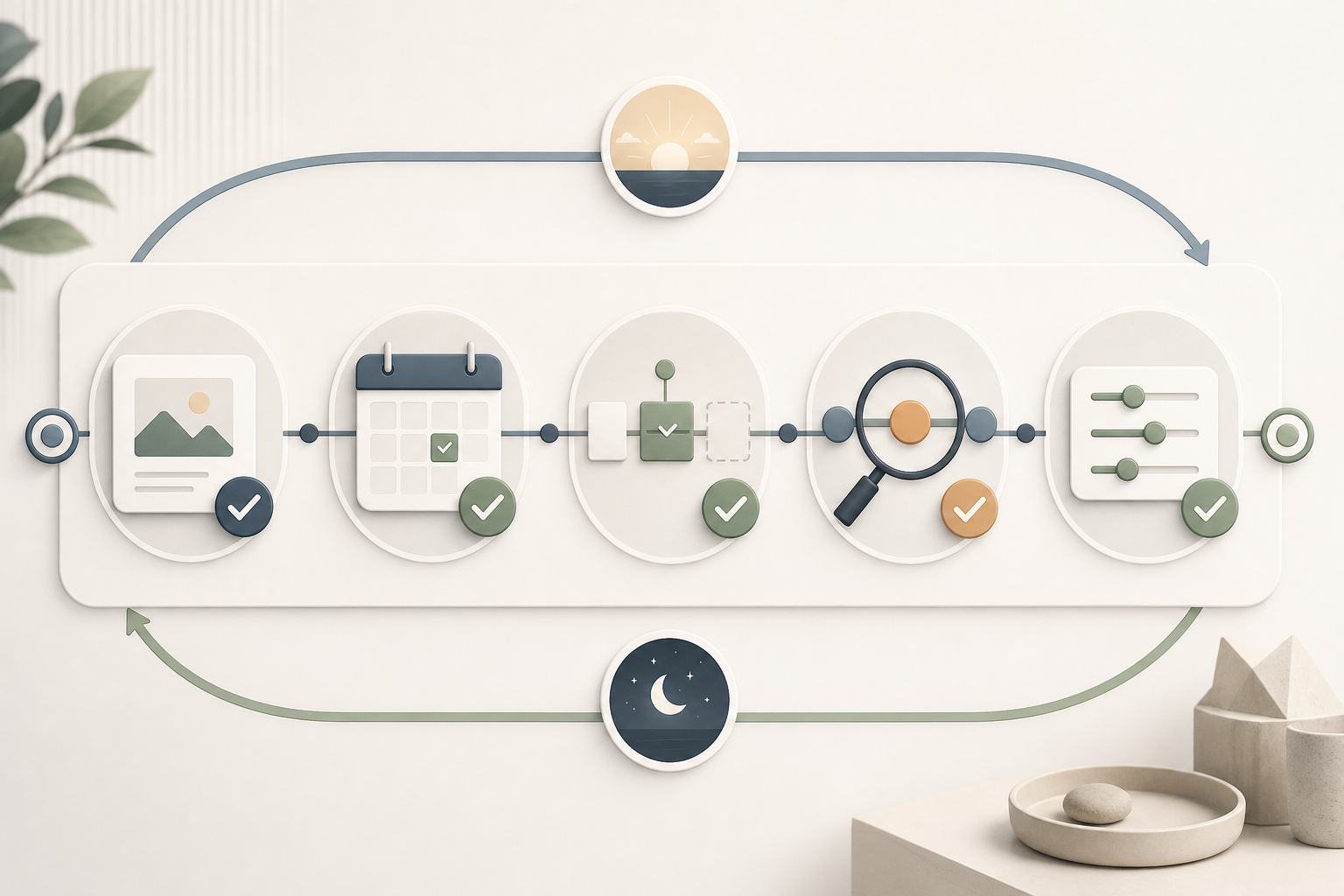
- Choose the smallest useful asset. Publish a short FAQ, checklist, focused opinion with clear limits, or a useful lesson from an approved asset.
- Publish or schedule it without rebuilding the plan. Restore forward movement first.
- Keep the next scheduled slot. Do not cram two full pieces into the next week unless you have real capacity.
- Find the bottleneck. Was the issue topic choice, drafting time, review delay, design, or publishing friction?
- Change one condition before the next cycle. Create outlines earlier, reduce scope, use a design template, or set a review deadline.
Build a buffer too. Aim for one or two near-ready core pieces and several small backup assets. A backup could be a short answer to a common question, a checklist, a set of lessons from past content, or an adapted sales email that helps a wider audience.
If weekly publishing fails again and again, lower the cadence. Publishing every other week is not a failure if it gives you better work and a dependable rhythm. For a focused recovery plan, read What To Do When You Miss Your Posting Schedule: 48-Hour Reset.
A founder-friendly 30-day implementation plan
This plan assumes about two to four hours a week. If you have less time, spread each week over two weeks rather than skipping planning or review.
Week 1: choose direction and build the system
Set your minimum viable cadence, primary channel, audience promise, and three content pillars. Create your calendar. Write your Definition of Done and one-page style guide.
Create two templates: a practical guide and an FAQ explainer. Do not spend the week building a complex workspace.
Week 2: build an idea queue and batch outlines
Collect ten questions from customer conversations, sales calls, support requests, objections, and internal discussions. Choose four that fit your pillars and offers. Brief and outline two to four pieces.
The goal is not four polished articles. The goal is a queue of clear outlines that are ready for decisions.
Week 3: draft, review, and create a buffer
Draft one core piece and one short backup asset. Run both through the quality check. Create or adapt one simple visual template if it adds clarity.
Schedule the core piece for the next open slot. Keep the backup ready for a busy week.
Week 4: publish, learn, and plan again
Publish the core piece, repurpose it once for your secondary channel, and note what happened. Review workflow friction as well as audience response. Add one new idea and one new future slot so the calendar keeps moving.
A simple weekly allocation might be:
- 45 minutes: topic planning and briefing;
- 90 minutes: outlining or drafting;
- 45 minutes: editing and fact checks; and
- 30 minutes: formatting, scheduling, and a short review.
If you need a structured way to introduce your business, direct your content, and keep a sustainable schedule, Content Redefined AI offers a streamlined approach to content planning for founders. Use any tool as support for clear direction and editorial review—not as a substitute for either.
Frequently asked questions
What are the seven steps in order?
The seven steps are: lock your content direction; build a lightweight editorial process; create reusable templates; build a rolling editorial calendar; batch work by task; automate repeat steps while keeping editorial judgment manual; and use analytics and audience feedback to improve the next cycle.
The order matters. A calendar or automation tool is less useful if you have not defined the audience, topic limits, review path, and Definition of Done.
How do I handle missed weeks without quitting?
Use the 48-hour reset. Publish the smallest useful asset you can complete, keep the next planned slot, identify the bottleneck, and change one part of the process. Do not try to make up every missed post at once. If missed weeks become common, lower the cadence.
How far ahead should I plan content?
A four-week rolling calendar is a useful starting point for most founders. It gives you enough structure for batching and review while leaving room for customer questions, launches, and changing priorities. Keep a longer idea backlog, but do not lock every title too far ahead.
Should I start with blog posts or social posts?
Start where your audience is most likely to need depth or make decisions. A blog can provide detailed answers for people researching a problem. Social posts can support visibility and conversation. Choose one home base and use the other mainly for repurposing until your rhythm is stable.
How can I keep consistent content with limited time?
Reduce weekly decisions. Use a minimum viable cadence, a small set of pillars, reusable templates, task batching, and a short content buffer. Protect one recurring content block as you would a customer or sales meeting.
What should I automate versus keep manual?
Automate reminders, repeat tasks, templates, calendar updates, and approved scheduling where it helps. Keep strategy, claim checks, voice decisions, final CTA choice, and final approval manual. Automate repetition; keep responsibility with a person.
How do I keep content quality consistent at speed?
Use the same Definition of Done, style guide, and final quality check for every piece. Require a clear reader, useful outcome, concrete support, verified claims, and one relevant next step. Speed should come from templates and clear standards, not from skipping editing or accuracy checks.